











The Throne Bet mobile application gives Tanzanian bettors access to sports betting from an Android phone or tablet. This guide explains how to download the APK, install it safely, update it, and deal with common setup problems.

The platform is intended for Android devices. Depending on the available release, the app may provide a more direct mobile layout than a browser, while account access, betting choices, deposits, and bet history remain available through the same account.
Throne Bet Mobile App Overview
The app brings sports markets, account controls, and betting history into a phone-friendly interface. The home screen can be used to find upcoming fixtures and live events, while selecting a match opens its available odds and markets.

A mobile app can reduce the number of browser tabs and make it easier to return to an unfinished session. Actual speed depends on the device, network, and current platform traffic, so a strong connection is still useful.
Features Available in the App
Sports betting may include football, basketball, tennis, and other listed disciplines. Use the available filters to narrow events by competition, date, or market. Pre-match and live selections should be checked carefully because odds can change before a bet is confirmed.
Account tools can include deposits, withdrawals, password changes, and personal details. Payment methods, limits, and processing times depend on the option shown in the account area.
Bet history records settled and unsettled wagers. Open an entry to check the stake, selected odds, outcome, and settlement status. Notifications, where supported, can be adjusted in the device or app settings.
Download the Throne Bet App
Download the APK only from the official Throne Bet platform and check the website address before selecting a download button. The app itself is free to download, but using betting services may involve real-money transactions.
Before downloading, check the Android version shown under Settings and About Device, and make sure there is enough free storage for both the APK and temporary installation files. Use Wi-Fi or a stable mobile connection so the file is not interrupted.
Before Downloading
Do not use file-sharing pages or unofficial mirrors. A modified APK can contain unwanted code or fail during installation. If the download stops, remove the incomplete file before trying again.
Android Installation Guide
After the download finishes, open the file manager and locate the APK in Downloads. Android may ask for permission to install an app from the browser or file manager used for the download.
- Step 1: Tap the APK file in the Downloads folder.
- Step 2: Allow installation from that source if Android displays a security prompt.
- Step 3: Return to the file and tap it again.
- Step 4: Review the requested permissions and select Install.
- Step 5: Open the app after installation completes.
- Step 6: Sign in with your existing account details.
If you do not have an account, follow the platform's available registration process. The first launch may take longer while the application prepares its files.
Installation Tips
Keep the phone unlocked during installation and close unused applications if storage or memory is limited. On newer Android versions, the permission is usually managed under Settings, Apps, Special Access, and Install Unknown Apps.
Updating the App
Because an APK may not update through the Play Store, check the official platform periodically for a newer release. Downloading a current file can address compatibility or security issues.
Install the new APK over the existing application unless the platform specifically instructs otherwise. Do not uninstall first, because removing the app can delete local settings and require another sign-in.
If an update fails, confirm that the file is complete, enough storage is available, and the Android version is supported. The official website is the appropriate place to check for the current download option.
Old APK Versions
An older APK may be relevant only when a new release is incompatible with a particular device. It can expose the account to unpatched problems, so avoid random archives and return to the current supported file whenever possible.
Version for iOS
The instructions above apply to Android APK installation. If a separate iPhone app is not provided, iOS users can open the mobile version of the website in Safari. Browser access avoids sideloading, but available notifications and device integration may differ.
Common Installation Problems
Most installation errors relate to the file, device storage, network, or Android security settings.
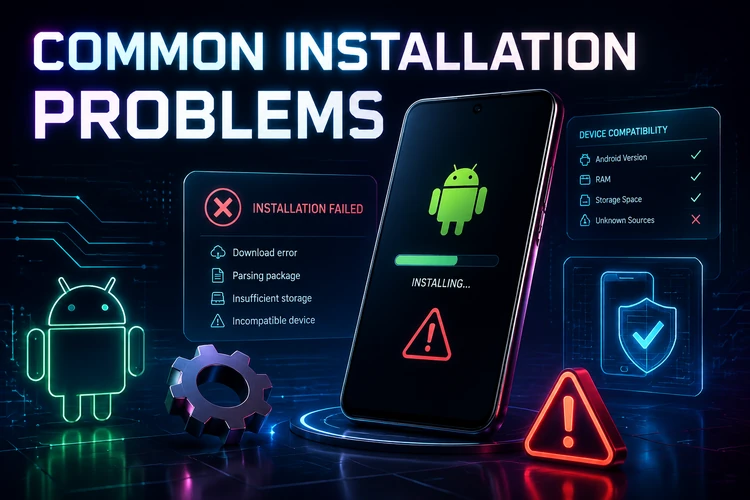
Read the exact Android message before repeating the installation, since the fix depends on the cause.
APK Won't Install
Enable installation permission for the browser or file manager that opened the file. Check storage, delete the old incomplete APK, and download a fresh copy.
Download Failed
Use a stronger connection and try another browser if the download repeatedly stops. A partial file should be deleted rather than opened again.
App Won't Open
Restart the phone and try again. If the problem continues, check for Android system updates and reinstall a freshly downloaded APK.
Login Problems
Check the username and password carefully. For forgotten credentials, use the recovery option on the login page rather than entering repeated guesses.
Security Recommendations
Use only the official download source, keep Android and the application updated, and review permissions before installation. Network access is expected, but unrelated requests for contacts or messages deserve caution.
Protect the account with a unique password and avoid signing in on shared devices. Sign out after use and never send your password or payment details to an unverified person.
Comparison Table
| Criterion | Mobile Website | App |
|---|---|---|
| Access | Open in a browser | Open after installation |
| Login | Browser session | App session, if supported |
| Notifications | Depends on the browser | Depends on app and device settings |
| Installation | Not required | APK installation required |
| Offline availability | Requires a connection | Requires a connection for account features |
FAQ
Open the official Throne Bet platform on your Android device and use its available app download option. Save the APK, open it from Downloads, and follow the installation prompts.
The APK download and installation are free. Deposits and real-money betting are separate activities, so check the displayed terms before using account funds.
Yes, the guide is intended for compatible Android phones and tablets. Check the Android version, storage, and installation permission before opening the APK.
The APK process is for Android. If a separate iOS application is not available, iPhone users can access the mobile website through Safari or another iOS browser.
Check the official platform for a newer APK and install it over the existing application. Keep the old app installed unless the platform gives different instructions.
Check installation permission for the browser or file manager, available storage, Android compatibility, and the completeness of the download. If the file is damaged, delete it and download it again from the official source.