











Every bet placed on Throne Bet produces a digital or printed betting slip confirming the wager. It normally shows the stake, selected events, odds, potential payout, and an identifier for retrieving the bet later. Keep the slip, ticket number, and ticket code safe until the bet has been settled and any applicable payment has been completed.
There are several ways to verify a ticket in Tanzania. Depending on how the bet was placed and which functions are available on the official service, you may use the website, your account history, a manual number or code search, a camera-based scan, or a mobile interface. The result should be checked against the original slip, particularly when a match is still in progress or a settlement has not yet been completed.
What Is a Throne Bet Ticket
A Throne Bet ticket is a confirmation of a particular wager. Its identifier connects the slip with the selections and transaction recorded by the platform. A ticket number is generally used for a manual lookup, while a ticket code may provide a shorter way to retrieve the same record. The exact layout and terminology can differ between digital and retail slips.
The ticket can include the events selected, markets, odds at the time of placement, stake, and possible return. Before settlement, the status may remain pending while one or more events are unfinished. After the relevant results are processed, it may show a settled outcome. Do not treat a displayed potential payout as a guaranteed win; the final result depends on the recorded settlement and the applicable bet conditions.
Methods to Check Your Ticket
The most convenient method for an account holder is usually the betting history area. After signing in, bets placed under that account can be reviewed without retyping an identifier. For a retail slip or a ticket placed outside the account history, a manual lookup may be more useful.

For manual checking, open the ticket-check function on the official website or mobile service, choose the available identifier type, and enter the information exactly as shown. A scan option can reduce typing when the physical slip has a readable barcode or QR code and the service supports camera access. Use the route that matches the ticket you hold rather than trying random fields.
Checking Tickets by Number
Find the ticket number on the digital confirmation or printed slip. It may appear near the top or beside the transaction details. Open the ticket-check page, enter the complete identifier, and submit it. If the form accepts letters as well as numbers, reproduce them exactly rather than entering only the digits.
A result should be compared with the slip: check the selections, stake, odds, and date before relying on the status. If nothing appears, remove accidental spaces, check similar-looking characters, and confirm that the ticket belongs to Throne Bet. A newly placed bet may need time to reach the checking system. If the number remains unavailable, keep the original slip and contact official support instead of repeatedly changing the entry.
Using Ticket Codes for Verification
A ticket code is an alternative reference printed on some slips or shown in a confirmation. It may be shorter than the ticket number, which can make it easier to type on a phone. Open the verification function, select code entry if that option is shown, and enter every visible character in the same order.
Pay attention to capital letters, hyphens, and characters that can look alike. If the code is blurred or damaged, use the ticket number when it is readable. A failed code does not by itself prove that the wager is invalid; it can indicate a transcription error, an unsupported lookup method, delayed processing, or a damaged printout.
Scan Ticket Feature
Where Scan Ticket is supported, the function uses a phone camera to read a barcode or QR code on a physical slip. It can be useful when the identifier is long, but it still requires a clear ticket and a connection to the official service.
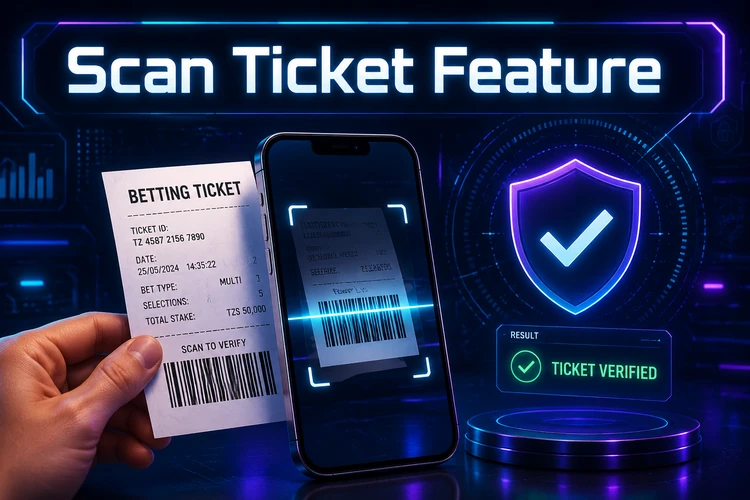
To try a scan, open the supported scanner, allow camera access only if the service requests it, and place the code inside the on-screen frame. Hold the phone still and keep the paper flat. Good lighting helps; glare, folds, faded ink, and a dirty lens can prevent recognition. When a result appears, confirm that it belongs to your slip and review its status rather than assuming that a successful scan means the bet has won.
If the camera cannot read the code, adjust the distance and angle, improve the lighting, or use manual entry. Do not install an unrelated scanning tool or give an unknown application access to betting information. Availability of scanning may vary by website version, device, and current service configuration.
Checking Tickets Through the Mobile App
A mobile app or mobile version of the official service can make ticket checking practical when you are away from a computer. If an official app is available, use the download route provided by the service rather than an unfamiliar APK site. You may be able to enter a number, enter a code, or scan a slip, but the available functions should be confirmed in the current version.
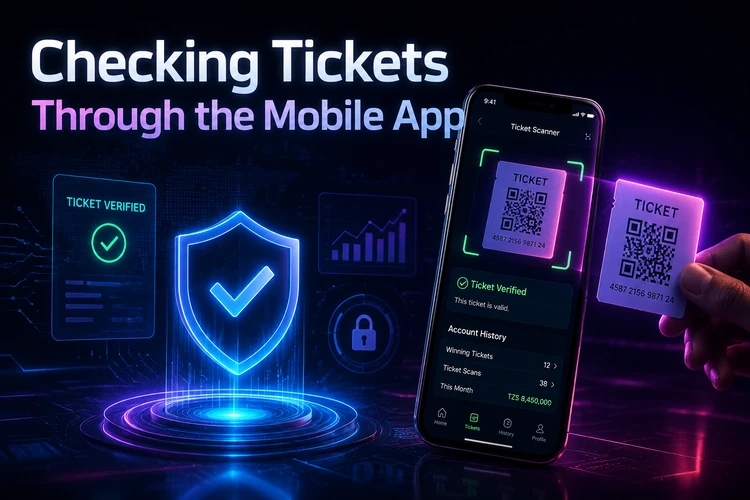
On Android, installation details depend on the official distribution method and the device settings. On iPhone, the mobile website may be the available route if a native iOS app is not offered. A browser can still provide manual ticket checking without an installation. When signed in, your account history may show tickets linked to the profile, while a retail ticket may still require its own number or code.
Understanding Ticket Pricing
The ticket price normally means the stake selected for the wager, not a separate charge for checking it. For example, a 5,000 TZS stake has a ticket cost of 5,000 TZS unless the displayed bet conditions state otherwise. Accumulator odds affect the potential return, but they do not change the stake after confirmation.
Minimum stakes and limits can vary by market, bet type, and current platform rules. System bets may use several combinations, so review the total amount shown before confirming. The confirmation screen is the best place to check the stake and potential return; do not rely on an estimate from an earlier stage of the bet slip.
Common Issues and Solutions
A missing ticket number is often caused by a typing error, a delayed record, or use of a slip from another service. Check the characters carefully and allow a short interval for a recently placed bet to process. If the code fails, compare capitalization and punctuation with the printed slip and try the number instead.
For login problems, confirm the account details and use the service's password-recovery process where available. Do not share a password, one-time code, or complete ticket details with an unsolicited contact. If a ticket is absent from account history, it may have been placed through another channel or under a different account.
For scan errors, flatten the slip, remove glare, clean the lens, and try better lighting. An outdated browser or app, weak internet connection, or temporary maintenance can also interrupt a request. Save a clear photo of the slip for your own records, but use manual entry or official support for the actual verification. If the displayed result conflicts with the printed confirmation, keep both records and contact support through the official website.
Frequently Asked Questions
Use the identifier printed on the slip and rely on the result shown by the official service. The questions below cover the most common checks.
Conclusion
Keeping the original slip and its identifiers makes it easier to verify a wager, follow a pending status, and resolve a discrepancy. Use the official website or supported mobile service, check the details shown on screen, and avoid unofficial download pages or contacts requesting confidential account information.
If the official service provides guest checking, enter the ticket number or ticket code in the ticket-check function without signing in. A supported scan option may also work for a physical slip. If guest checking is unavailable, use the account route or contact official support with the information on the ticket.
They are separate references that may be printed on the same slip. The ticket number is usually the main identifier for a manual lookup, while the ticket code may be shorter and intended for another verification field or scanning process. Use the option labelled for the identifier you have.
When the function is available, it uses the phone camera to read a barcode or QR code on a physical slip. Open the supported scanner, allow camera access if requested, keep the code flat and well lit, and wait for the ticket details to appear. If it fails, enter the identifier manually.
Check every character, remove accidental spaces, and confirm that the slip belongs to Throne Bet. A recently placed wager may not be visible until processing is complete. If the number still produces no result, retain the slip and contact official support rather than guessing different identifiers.
Registered users may be able to view tickets connected to their account after signing in. History availability depends on how the wager was placed and on the current service design. A retail slip may still need its own ticket number or code even when you are logged in.
Re-enter the code exactly as printed, including capital letters and punctuation where shown. If the print is damaged, try the ticket number instead. Also check that you selected the code field and that the service is operating normally. Persistent problems should be reported through official support with the original slip available.